

Waivers and consent forms, signed right at the counter.
Build your forms in the app, then hand customers an iPad or phone to fill in and sign. Each submission is saved as a signed PDF. No printing, no filing cabinets.
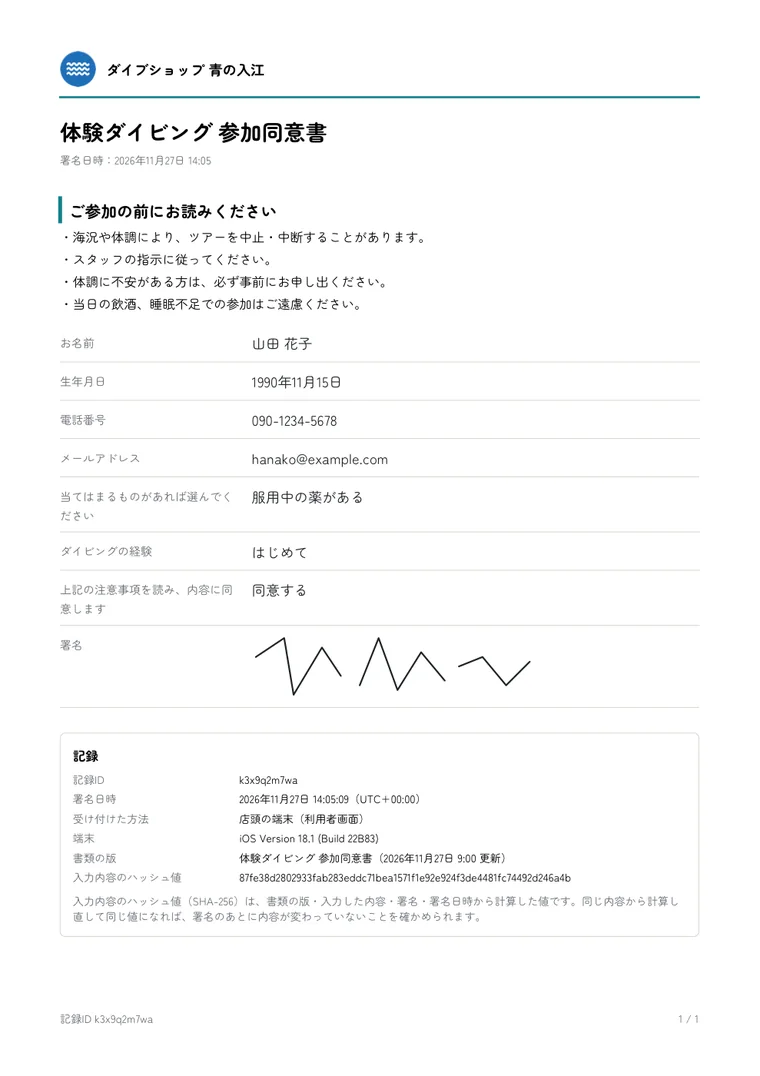
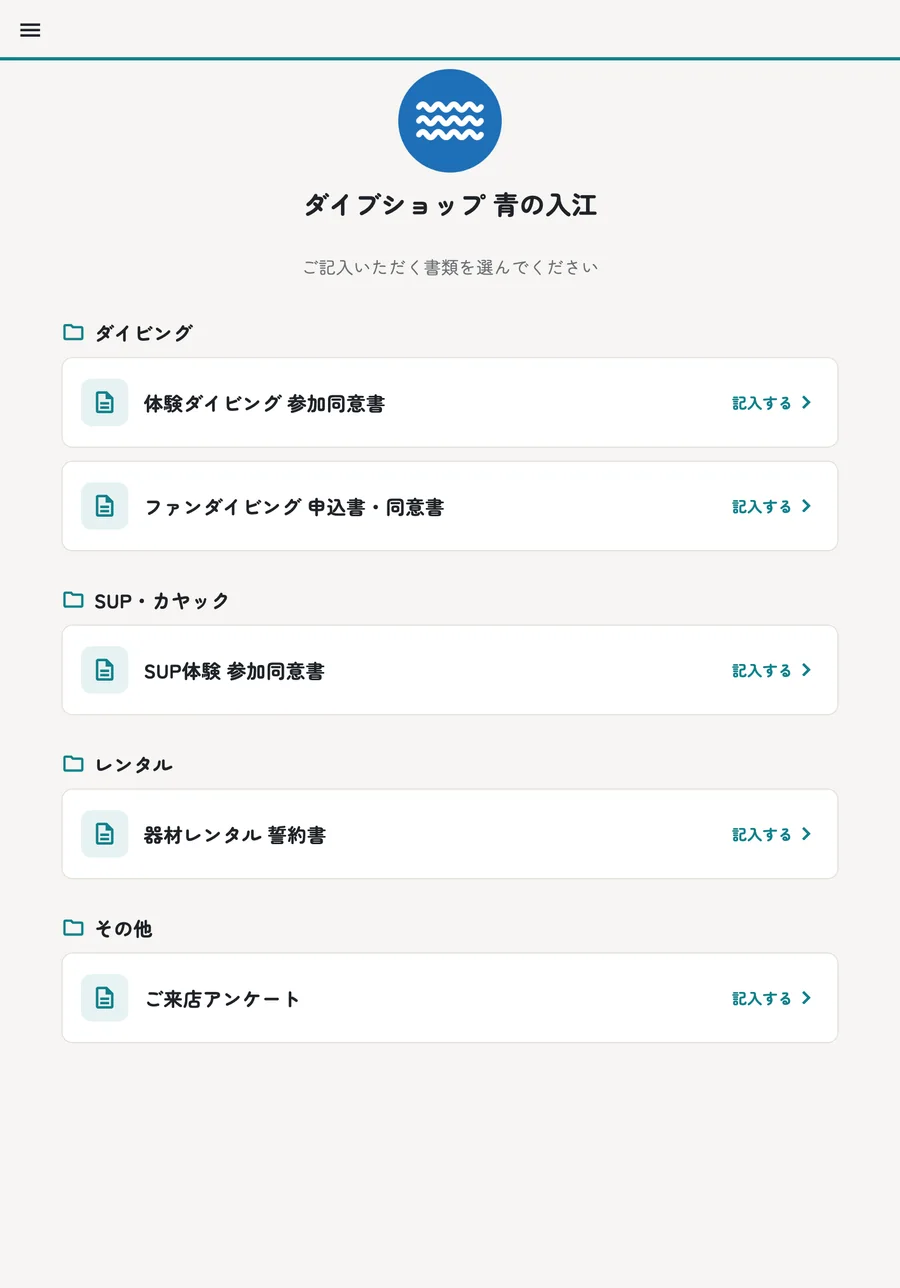
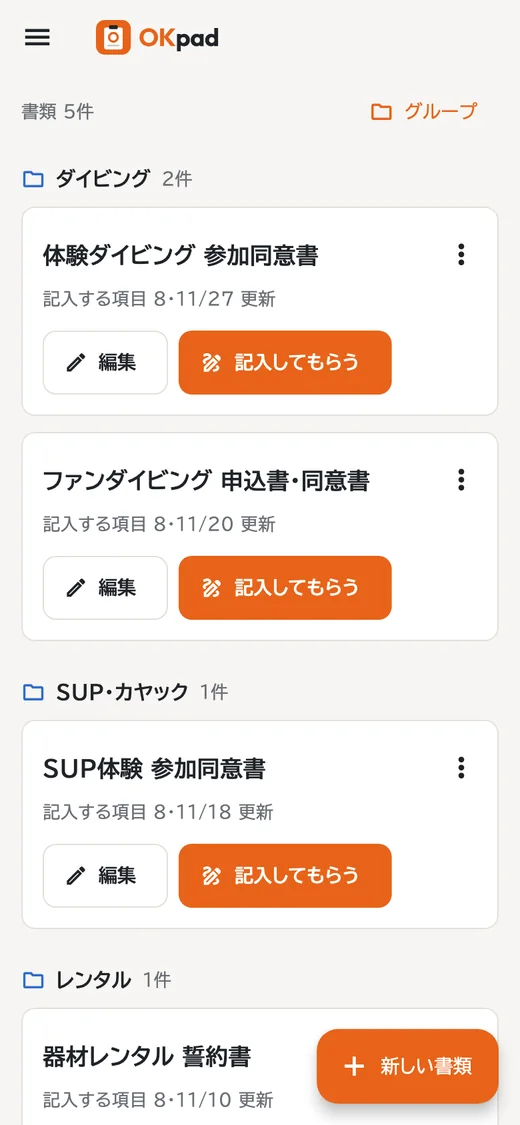
Build it, hand it over, keep the PDF.
Dive waivers, gym sign-ups, rental agreements. The paper forms you already use, moved onto a tablet.
-
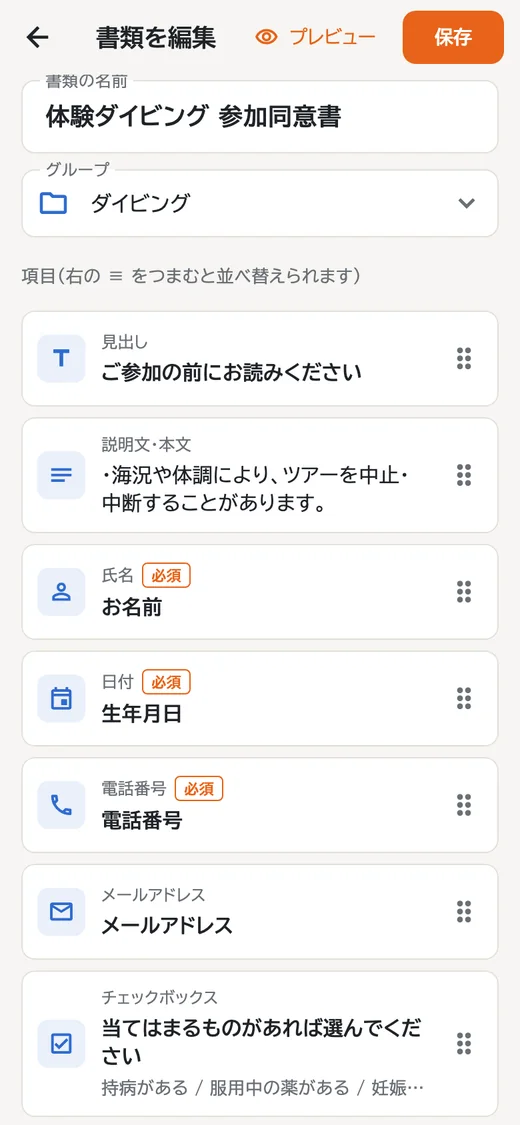
1Build your form
Write the terms, then add fields such as name, phone, date, checkboxes and signature. Mark each one required or optional.
-
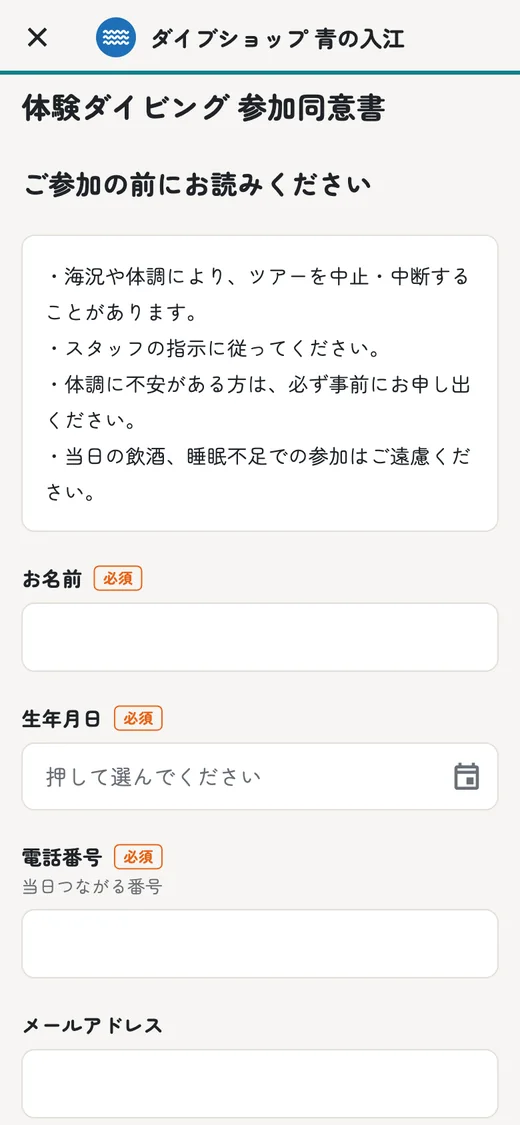
2Hand it to the customer
Switch the device to kiosk mode and pass it over. Customers fill in, review and submit. Ten seconds later it is ready for the next person.
-
3Keep the signed PDF
Every submission becomes a PDF with the handwritten signature, signing time, device and a hash of the answers. Share it by email or AirDrop.
Made for the front desk.
Designed around the moment you hand a device to a customer.
Kiosk mode stays locked
Getting back to the admin screen needs Face ID or a fingerprint, so customers never see other people's forms.
Nothing left behind
The form clears after every submission. The next customer never sees the last one's name or signature.
Works without a signal
PDFs are created on the device, so check-in keeps working on the beach or up the mountain.
A record with every signature
Each PDF carries a record ID, signing time, device, form version and a hash of the answers, so you can check nothing changed later.
Forms in groups
Sort forms into groups such as Diving or Rentals. Customers see them under the same headings.
16 field types
Headings, body text, short and long text, name, phone, email, address, date, time, checkboxes, radio buttons, dropdowns, rating scales, agreement and handwritten signature. Surveys can show one question at a time.
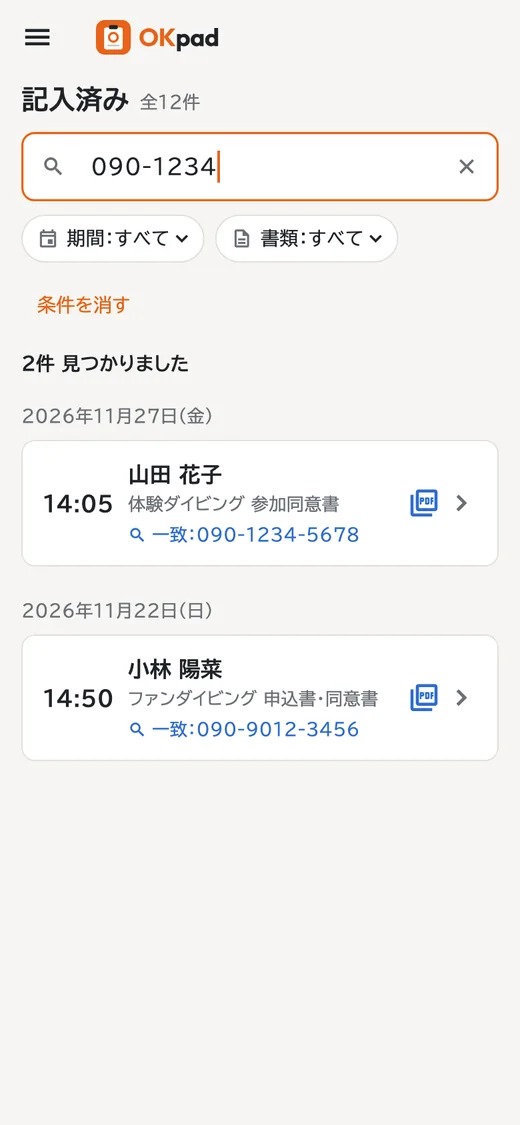
Find any submission fast
Search by part of a name, phone number or email, and filter by date or form. Japanese kana and full-width characters are matched either way.
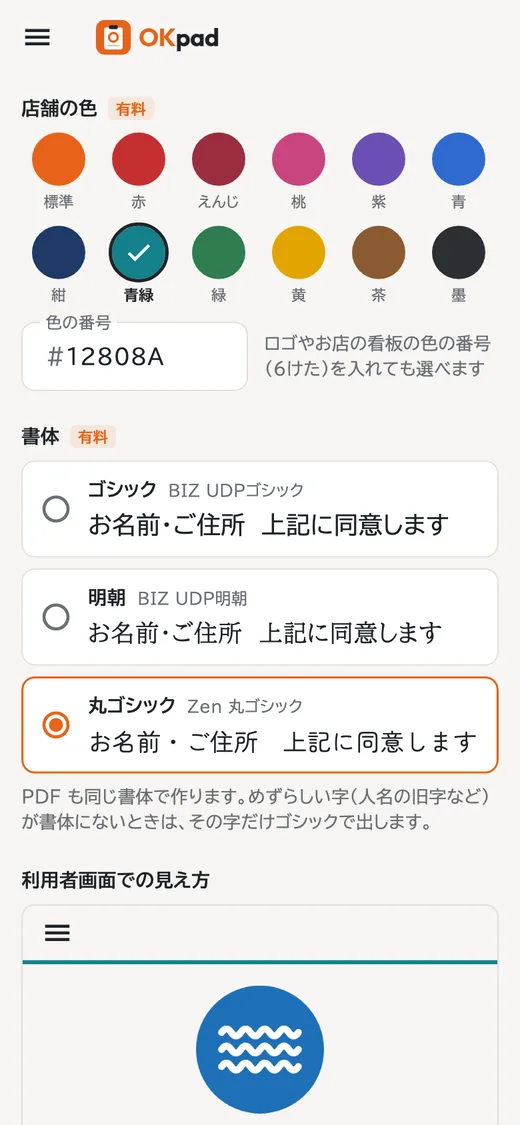
Your logo, colours and typePaid
Show your logo on the customer screens and PDFs, set buttons and lines to your colour, and choose a typeface.
Coming nextFill in ahead from a link or QR codeSign in on several devicesEmail a copyMore languages
Who it's for.
Anywhere the front desk collects a name and a signature.
- Dive shops and water sportsWaivers, medical statements
- Gyms, yoga and studiosMembership forms, terms of use
- Salons and spasConsultation forms, treatment consent
- RentalsBikes, gear, vehicles
- Classes and toursSign-ups, liability waivers
- Events and venuesVendor agreements, photo consent
Two plans. That's it.
Try every feature for free. Use the paid plan for your real records.
Free
¥0
- Every feature, to try out
- "SAMPLE" watermark on PDFs
- "Made with OKpad" on customer screens and PDFs
- Shop name only, no logo, colours or typeface
Paid
Monthlyprice in your currency at launch
- Unlimited forms and submissions
- No watermark
- Your logo, colours and typeface
- No "Made with OKpad"
Billed through the App Store and Google Play in your local currency. Prices will be announced at launch.
Questions
Is the signature legally binding?
OKpad captures a handwritten signature as a simple electronic signature, together with a record of the signing time, device and a hash of the answers. Whether that is enough depends on the document and where you operate, so check with a professional if you need to.
Do customers need to install the app?
No. You install OKpad on the shop's device and customers fill in the form there. Filling in from their own phone's browser, via a link or QR code, is on the way.
Where is the data stored?
For now, on the device that took the submission. We plan to add sign-in with cloud storage, so records survive a lost device and can be opened on other devices.
Which devices does it run on?
iPhone, iPad, and Android phones and tablets. At the counter, a tablet's larger screen works best.
Which languages does it support?
OKpad launches in English and Japanese. You write your forms in your own words, so they can be in any language your customers read.
When can I start?
OKpad is coming soon to the App Store and Google Play. Email us below to hear when it launches.
Your last paper waiver.
Launch news, questions or a chat about your shop: send us an email.